The local SEO checklist for small businesses.

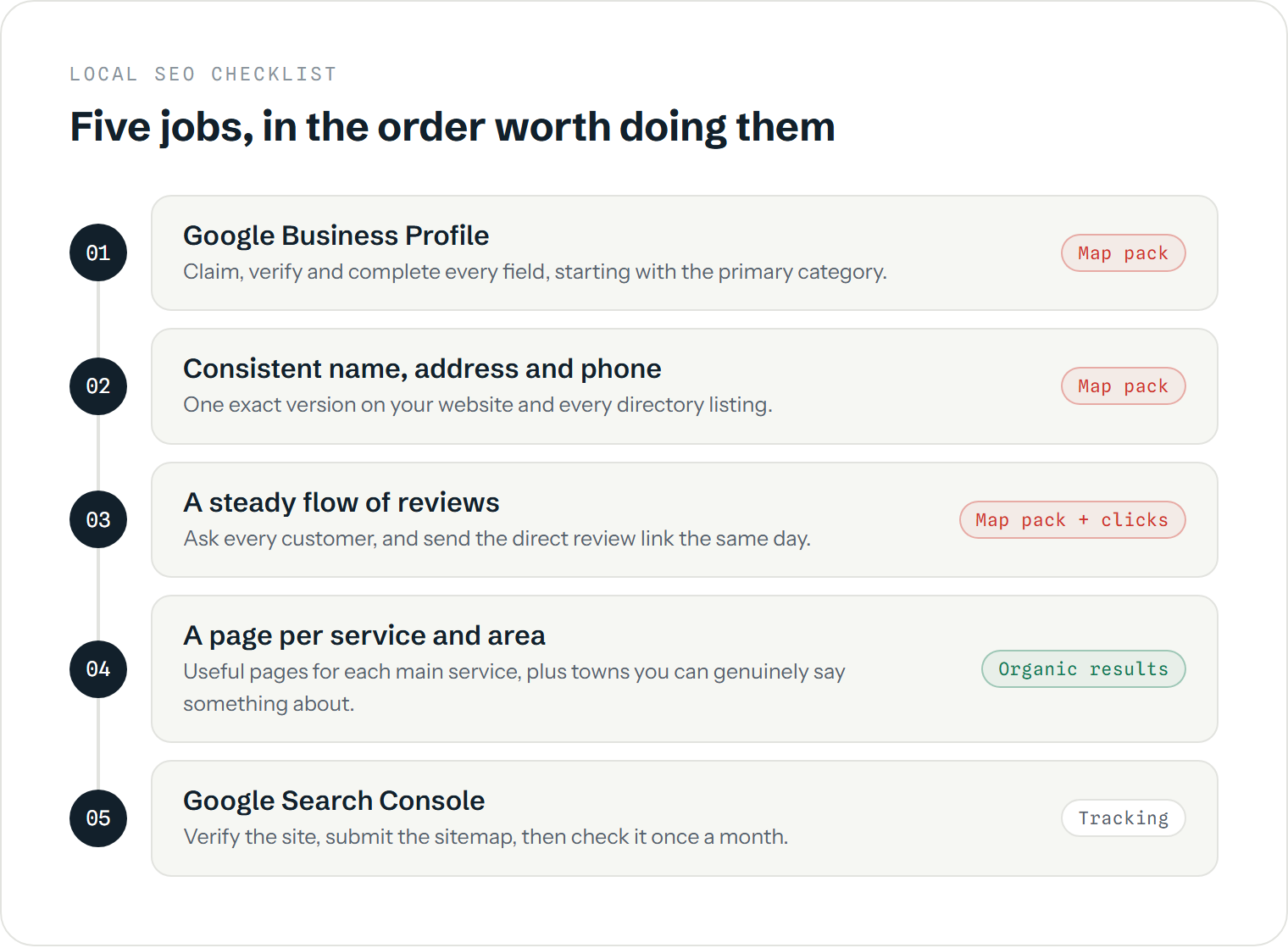
A local SEO checklist for a small business comes down to five jobs, in this order: complete and verify your Google Business Profile, make your name, address and phone number identical everywhere, collect reviews steadily, give every main service and town its own useful page on your website, and connect Google Search Console so you can see what's working. Most local businesses that struggle to appear in Google haven't done something clever wrong. They've skipped one of these basics, usually the website pages or the reviews. Work through the list below once properly, then revisit the parts that need upkeep.
What should a local SEO checklist include?
The items below are the ones that affect whether Google shows you to people searching nearby, and whether those people then choose you. Each comes with a rough idea of the time involved for a typical small business and how often it needs looking at again. The times are estimates from setting these up for local firms, not fixed figures; a business with a messy history of old addresses will take longer on the citations step, for example.
| Checklist item | First-time effort | Revisit | Mainly affects |
|---|---|---|---|
| Claim, verify and complete Google Business Profile | 1–2 hours (plus verification wait) | Monthly | Map pack |
| Consistent name, address, phone (NAP) on site and directories | 2–4 hours | When details change | Map pack, trust |
| Direct review link and an asking routine | 30 minutes to set up | Every finished job | Map pack, clicks |
| A page per main service, plus pages for key towns | 2–4 hours per page | Yearly | Organic results |
| Title tags and contact details on every page | 1–2 hours | When pages change | Organic results |
| LocalBusiness structured data | 1 hour | When details change | How Google reads your details |
| Google Search Console and a monthly check | 30 minutes | Monthly | Spotting problems early |
1. Is your Google Business Profile claimed, verified and complete?
This is the profile that appears in the map pack and on the right-hand side when someone searches your business name. Claim it, verify it, then fill in everything Google offers: the most accurate primary category (this matters more than any other field), secondary categories, service areas or address, opening hours, services, a description and real photos of your work. Check it monthly, because Google and members of the public can suggest edits that get applied without you noticing.
The detail on each field, and which ones actually affect ranking, is in our Google Business Profile guide.
2. Are your name, address and phone number the same everywhere?
Google cross-checks your business details across your website, your profile and directories such as Yell, Thomson Local, Bing Places, Apple Business Connect and Facebook. Mismatches (an old address, a different phone number, "Ltd" on some listings and not others) make it less sure which details are right. Pick one exact format, use it on your website footer and contact page, then search for your business name and old phone numbers to find and correct listings that differ.
You don't need hundreds of directory listings. A dozen accurate ones on the sites people actually use beat a bulk submission service. More on this in what are local citations?
3. Do you have a routine for getting Google reviews?
Review count, score and recency all feed into local rankings, and they heavily influence who gets the call once a searcher is comparing listings. Get the short review link from your profile, then ask every customer when the job is done and send the link the same day. Ask everyone rather than only the customers you expect to be pleased, and never offer anything in return; both break Google's rules, and fake or undisclosed incentivised reviews are now illegal in the UK. The full method is in how to get more Google reviews.
4. Does your website have a page for each service and area?
This is the step most local businesses skip, and it's the one that wins searches outside the map pack. A single "Services" page listing everything you do gives Google very little to rank for "boiler repair Newport" or "emergency electrician Cardiff". A dedicated page for each main service, explaining what's involved, typical prices or timescales, and the areas you cover, gives it something specific.
Town pages work the same way, with a catch: a set of near-identical pages that swap the town name are doorway pages, which Google treats as spam. Only create a town page if you can say something genuinely local on it, such as jobs you've done there or how quickly you can reach it. Do I need location pages for SEO? covers where the line sits.
5. Are the on-page basics in place?
Each page needs a title tag that says what it is and where (for example "Kitchen Fitting in Swansea | Your Business Name"), a clear main heading, your phone number and service area visible without scrolling far, and a working mobile layout. None of this is advanced, but many small business sites built on templates still have every page titled "Home" or the business name alone.
Adding LocalBusiness structured data, a short block of code that states your name, address, phone and opening hours in a format Google reads directly, is worth an hour of your web developer's time. It helps Google interpret your details and can feed rich results. It isn't a ranking shortcut, though, and it isn't required for Google's AI features, despite what some agencies suggest.
6. Can you see what's working in Google Search Console?
Search Console is Google's free tool showing which searches your site appears for, how often people click, and whether any pages have problems being indexed. Verify your site, submit your sitemap, then check the Performance report once a month. If your site isn't appearing at all, start with why is my website not showing on Google? before going further down this list. Your Business Profile has its own performance stats too, showing calls, direction requests and website clicks from the listing.
Will ticking every box get me into the map pack?
Not necessarily, and it's worth knowing why before you put the hours in. Google's own guidance names three things behind local rankings: relevance, distance and prominence. This checklist covers relevance and much of prominence. It can't change distance. If someone searches "plumber" from a street in Pontypridd, a business based in Pontypridd has an advantage that a better-optimised one in Cardiff will struggle to overcome, which is why "near me" searches resolve so heavily by proximity.
A checklist also gets you to the same level as competitors who've done the basics; it doesn't put you ahead of them. In a busy trade in a city, staying ahead usually means more and better website content and a steadier flow of reviews than the businesses around you, kept up over months. For tradespeople specifically, SEO for tradespeople shows how this plays out.
How often should I go through a local SEO checklist?
Do the full list once, properly. After that, a monthly half-hour is enough for most small businesses: check your profile hasn't been edited, reply to new reviews, glance at Search Console for anything unusual, and note which services people are finding you for. Revisit the whole list once a year or whenever something changes, such as a new address, a new phone number, a new service or a new area you want to cover.
If you'd like the background on why each of these matters, what is local SEO? explains the moving parts. If you'd rather hand the website side over, that's what our local SEO service covers, for businesses in Cardiff, Newport, Swansea and across South Wales.
Want to know which boxes you're missing?
A free audit call runs your profile, listings and website against this checklist and the local businesses outranking you.
Book a free audit